
If you open multiple websites in your browser, each one lines up horizontally across the top, in its own tab. But in 2026, all major browsers began to offer vertical browser tabs. That means that your open tabs can line up along the left-side of your browser window. Compare these two screenshots to see the difference:
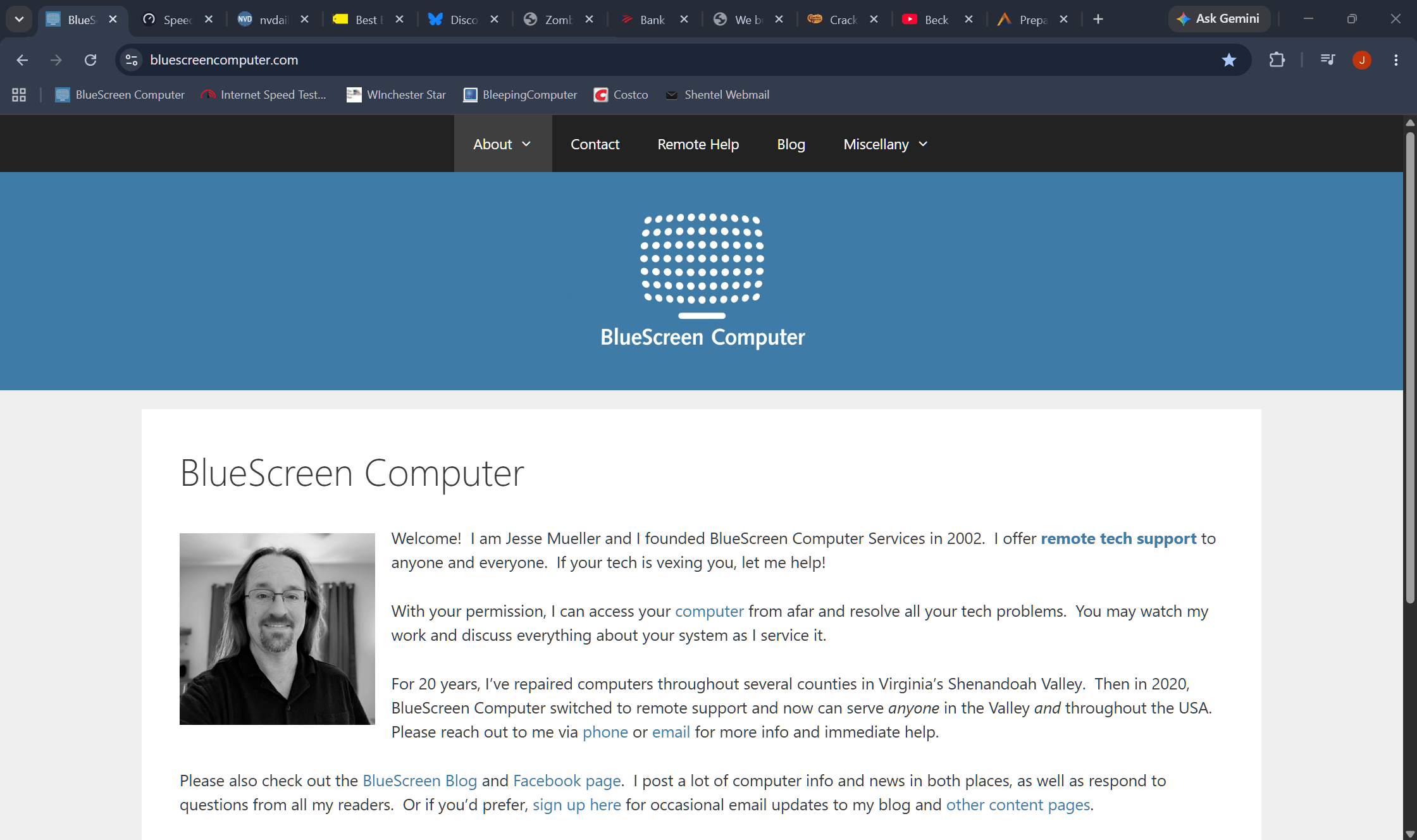
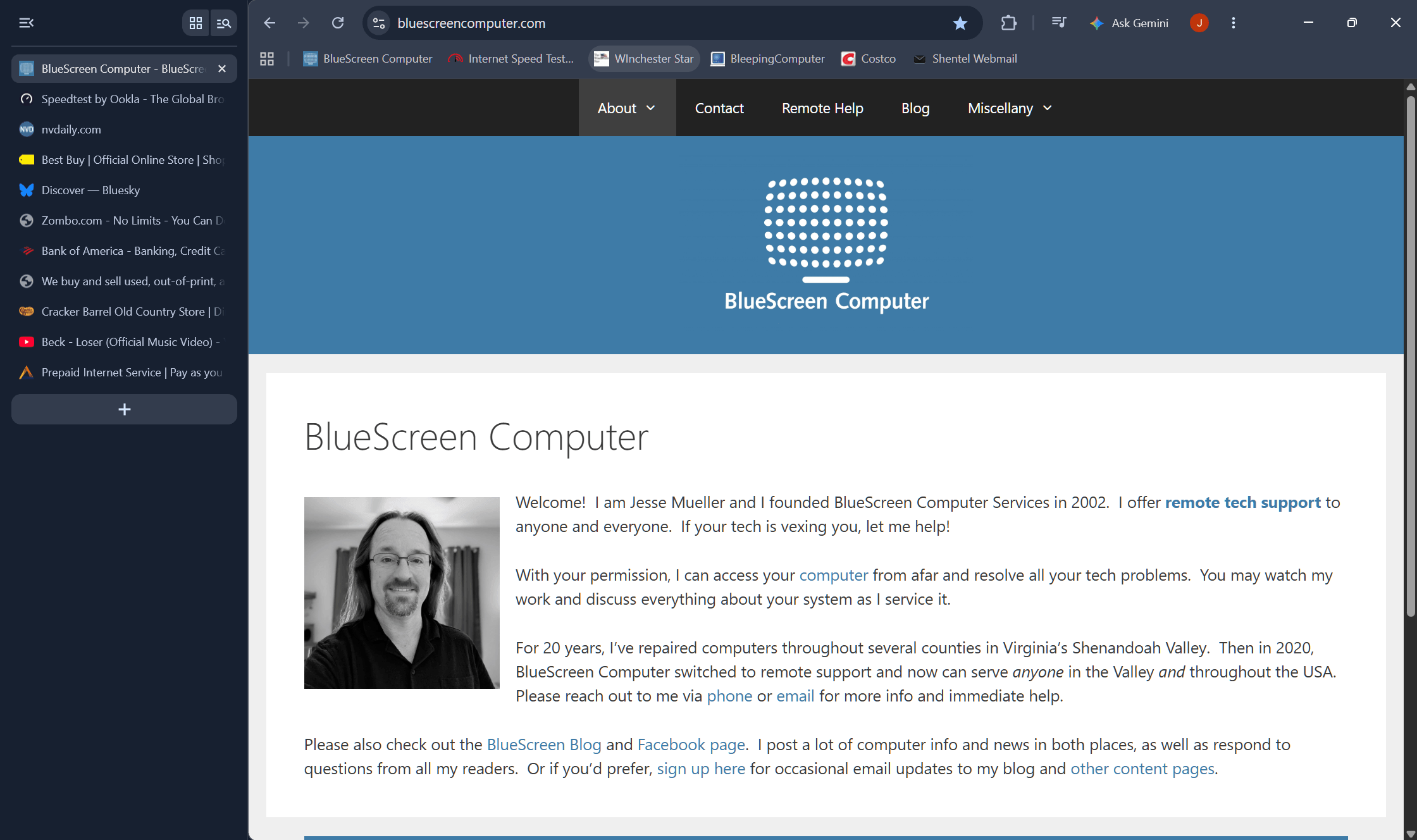
If you follow the KISS principle or don’t open multiple pages at once, this feature may not appeal. But for power users and people who keep dozens of tabs open all day, it might make a big difference. Notice that vertical tabs makes it easier to read each one’s title!
To turn vertical tabs on for your browser, right-click in an empty part of the top bar of the window and choose “Show Tabs Vertically” or “Turn On Vertical Tabs”. If you want to revert to horizontal tabs, right-click on the left bar and look for a “horizontal” option.