Docusign is a legitimate company that we may use to electronically submit signatures on documents. It’s quick and convenient and just as legally binding as ink on paper. You’ll probably encounter Docusign when finishing out a mortgage or working with a CPA to prepare your taxes. And also in Docusign Phishing emails…
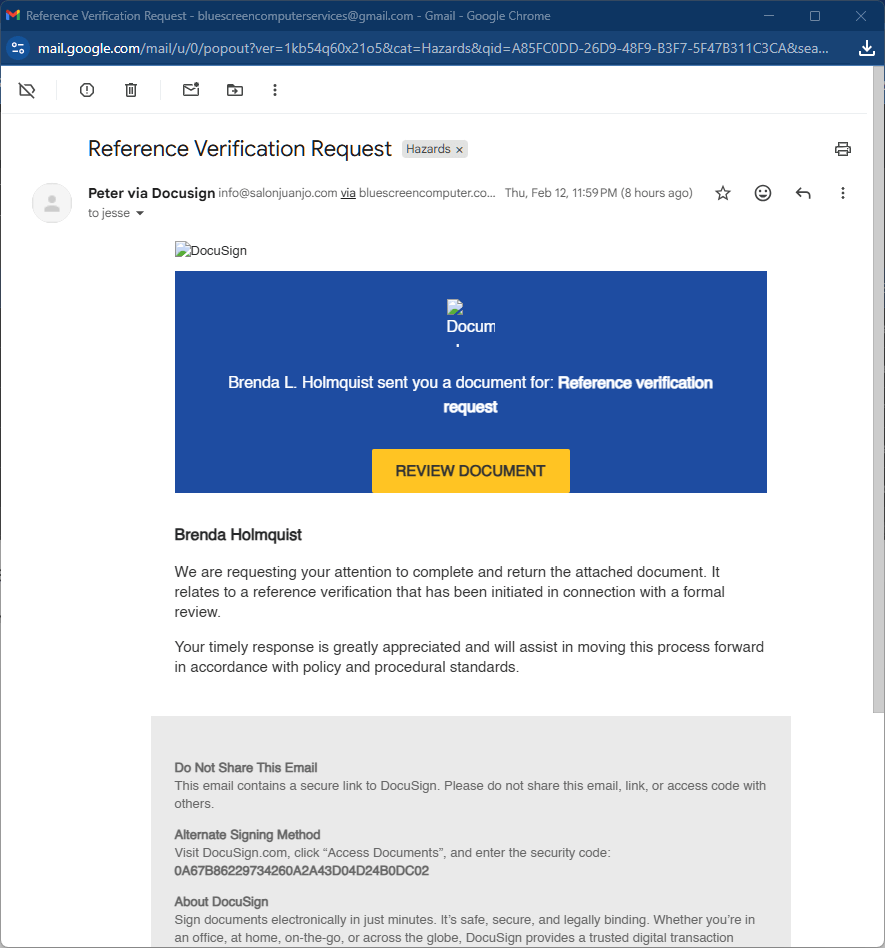
As phishing goes, this one is fairly obvious. The sender’s email address is strange, and there are missing/broken graphics in the message body. It looks like a sloppy effort, but these bogus emails still fool people! Many users are already waiting for real Docusign emails to arrive, due to tax season being upon us. Some people will receive this and click too quickly…
Virus!
If a victim clicks the big chunky button, or any link, in this email, they’ll travel to a new website:
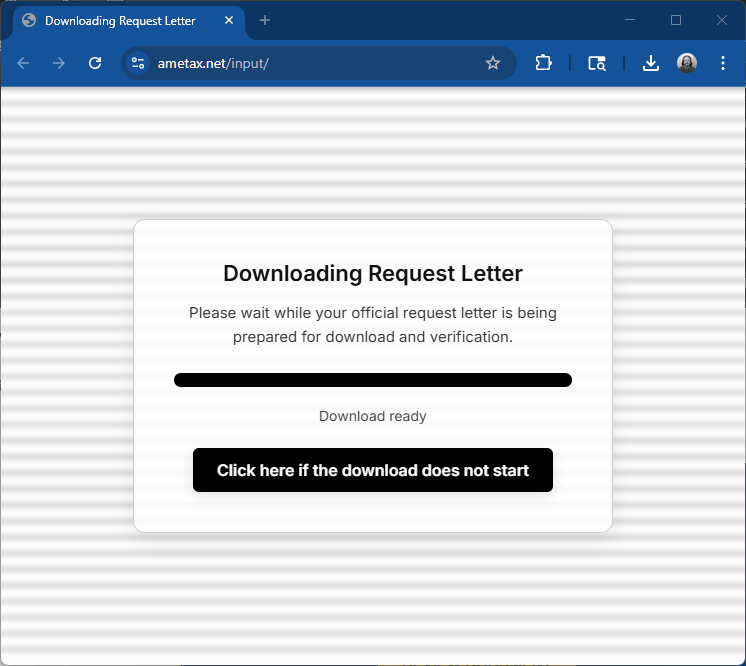
And a file download will immediately begin. That file looks very friendly on the surface:
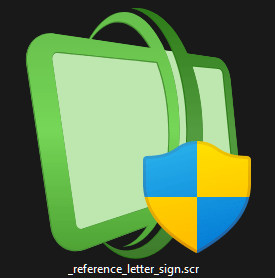
But I know it’s not. I play with a lot of toxic tech, but I’m sure not willing to run that file on any of my systems. Instead, I uploaded it to a website to check it for viruses, and plenty of bells went off:

A summary of all of those red alerts is this: The submitted file is very dangerous. It would probably allow cybercriminals into your computer. It could allow them to see and copy data from your PC, without it being visible.
Final Notes
I really hope everyone can dodge this scheme, if it comes to your inboxes. But if you’ve been tricked into opening such a file, please seek computer help ASAP. Your antivirus may or may not have blocked this menace!
Only deal with Docusign emails that you are expecting. Look for out-of-place details and call the sender on the phone if you have any misgivings. Listen to your spidey-sense!
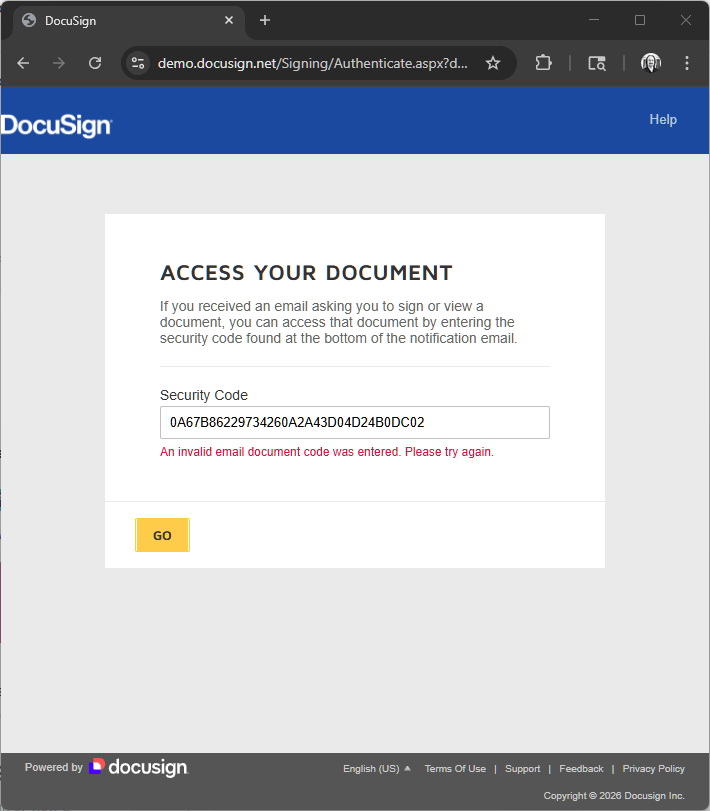
If you cannot verify or trust a Docusign email, look towards the bottom for a lengthy “security code”. You can copy that code and carry it away from the sus email, over to the real Docusign website. Under “Access Documents”, a legit code would reveal your Docusign files, while a bogus code will return an error: